
Step 1: Download and open the files
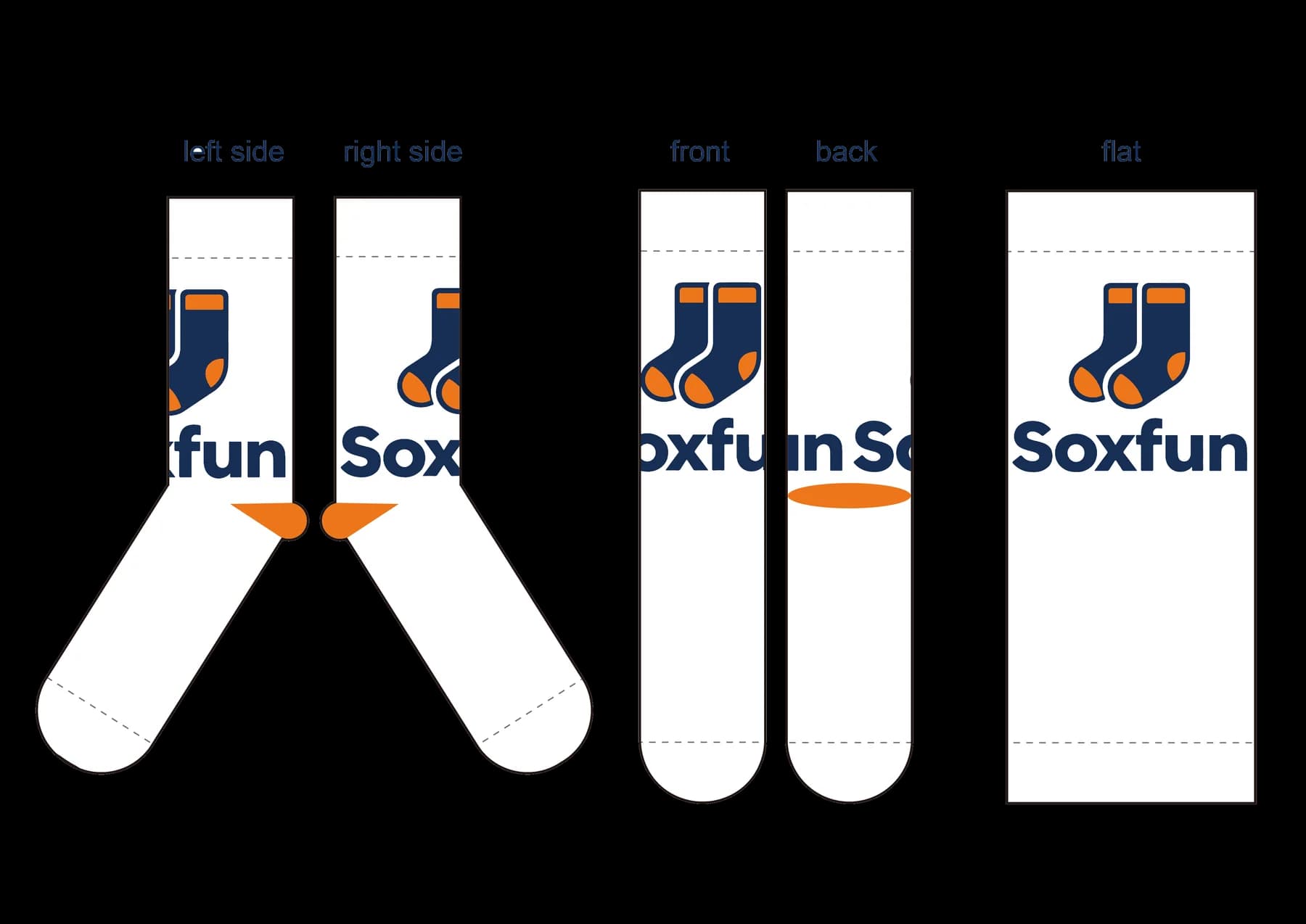
The folder contains Flat Design-crew socks.ai for your artwork and Design Preview-crew socks.ai for checking the finished layout. Open the Flat Design file and place artwork in the visible editable layer group.
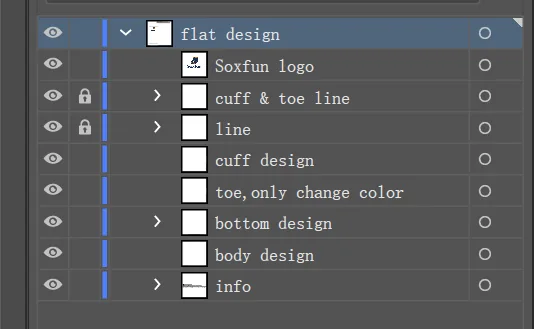
Use the crew sock layout
The template shows the cuff, back, front, instep, sole, toe, and a flat real-sock layout so you can understand how every detail maps to the finished pair.
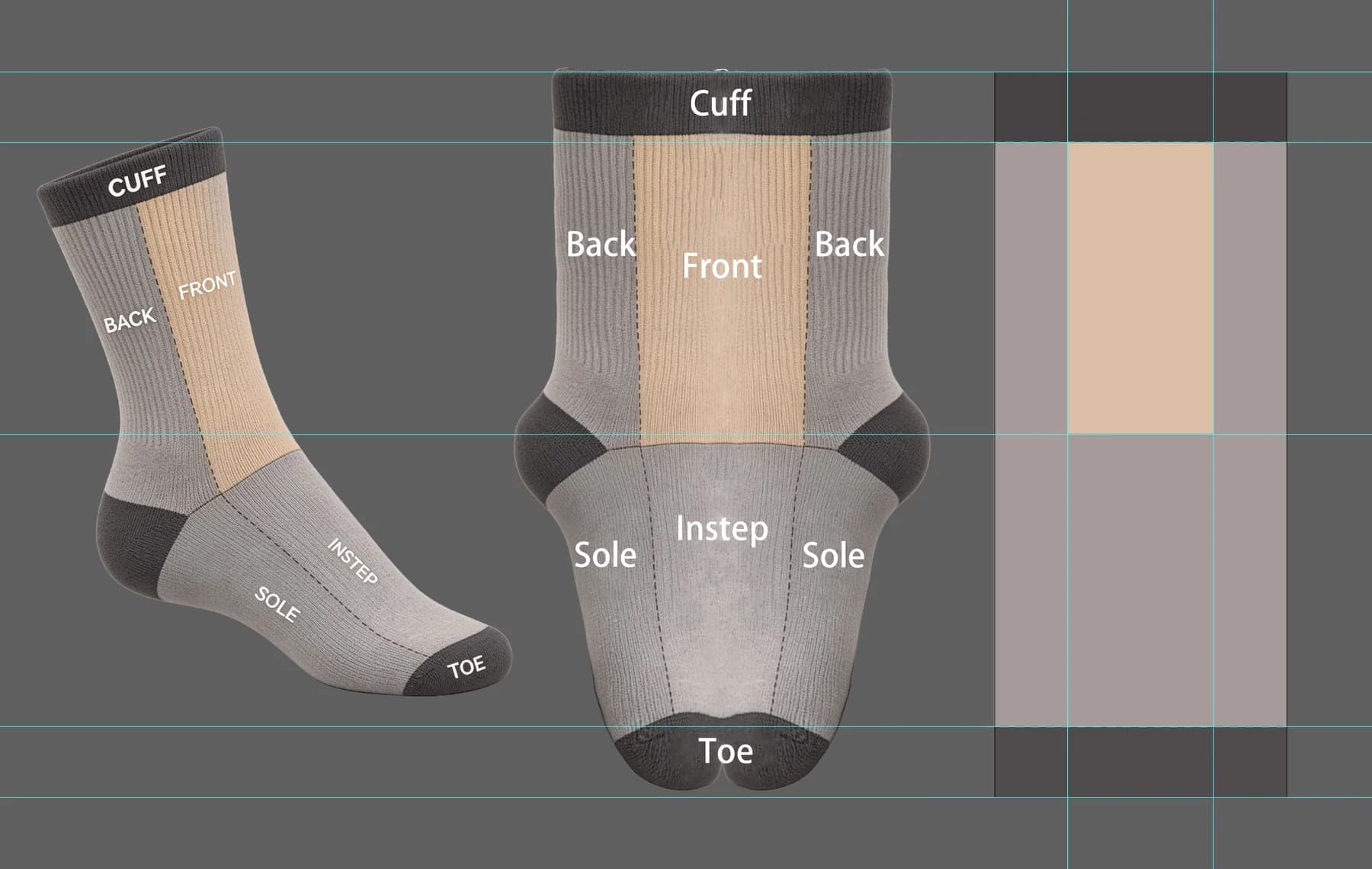
Step 2: Stay inside the safe zone
Keep logos and text inside the safe zone. Artwork outside it may be cut off or distorted during knitting.
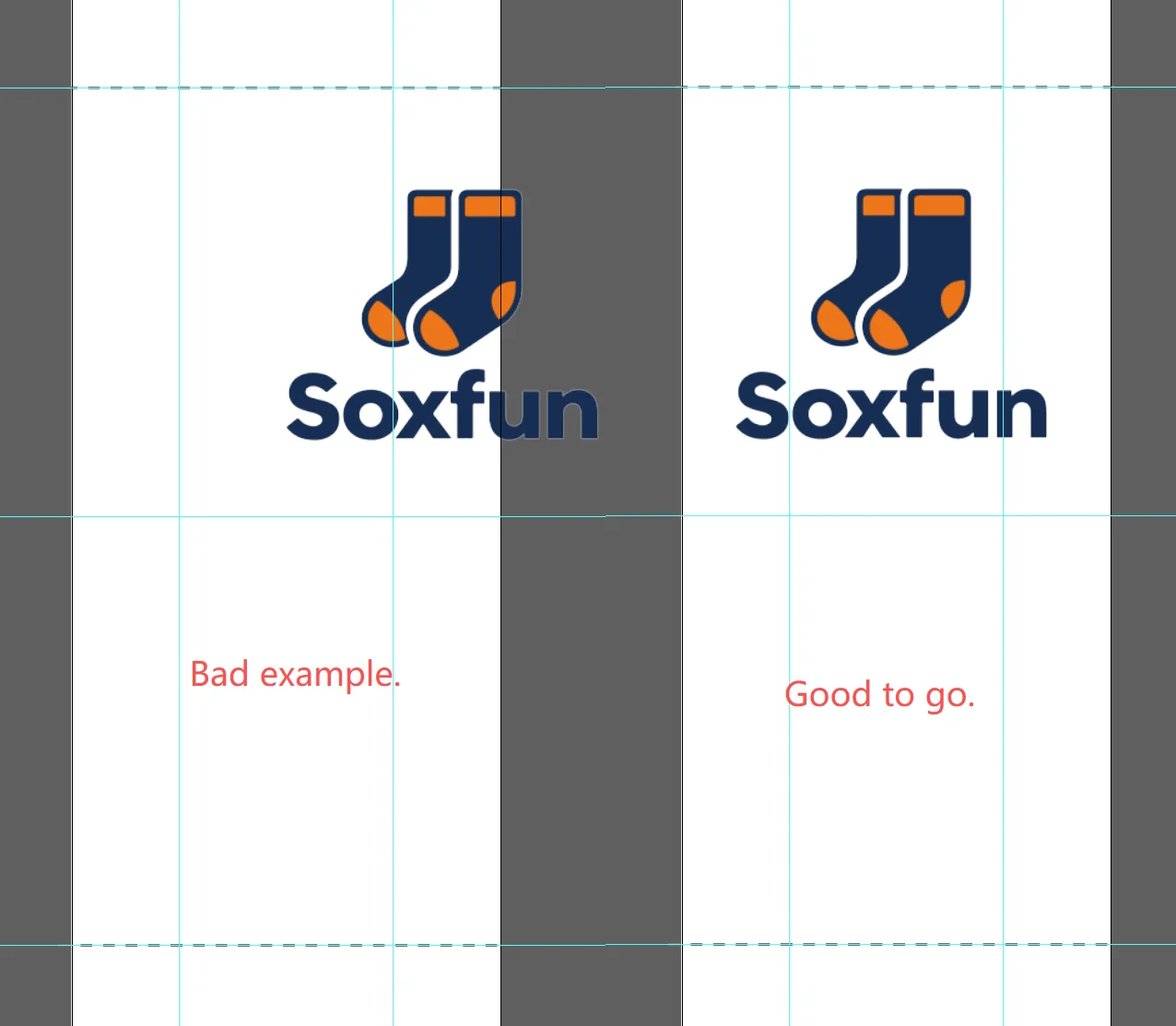
Step 3: Watch the wrap
A sock is knitted in the round, so the left and right edges of the flat layout connect. Repeat any edge pattern on the opposite side so it joins cleanly.
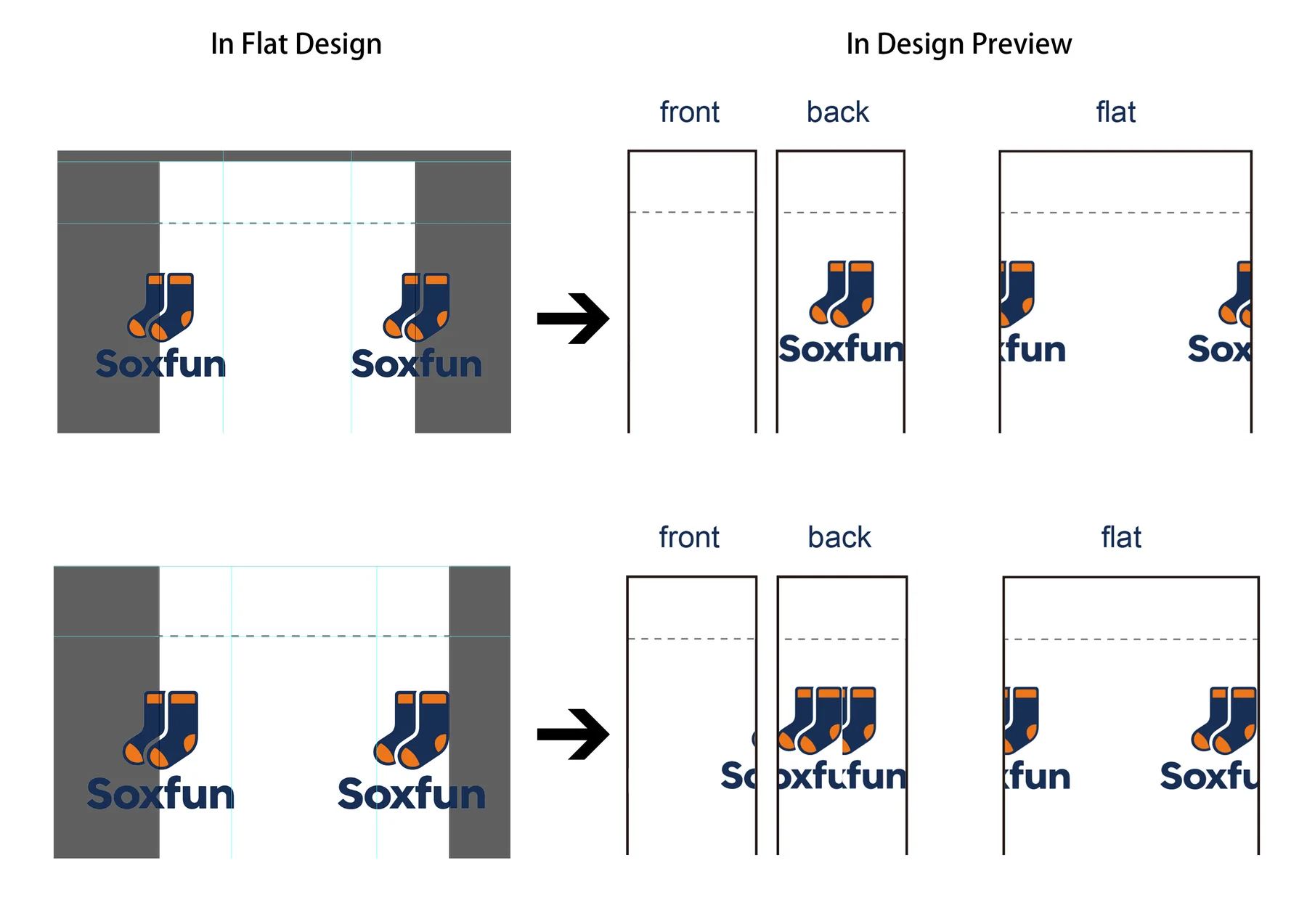
Steps 4–5: Keep heel and toe clean
Heel and toe areas should use solid colors only. Patterns and text cannot be knitted there. Set the heel color separately in the preview file.
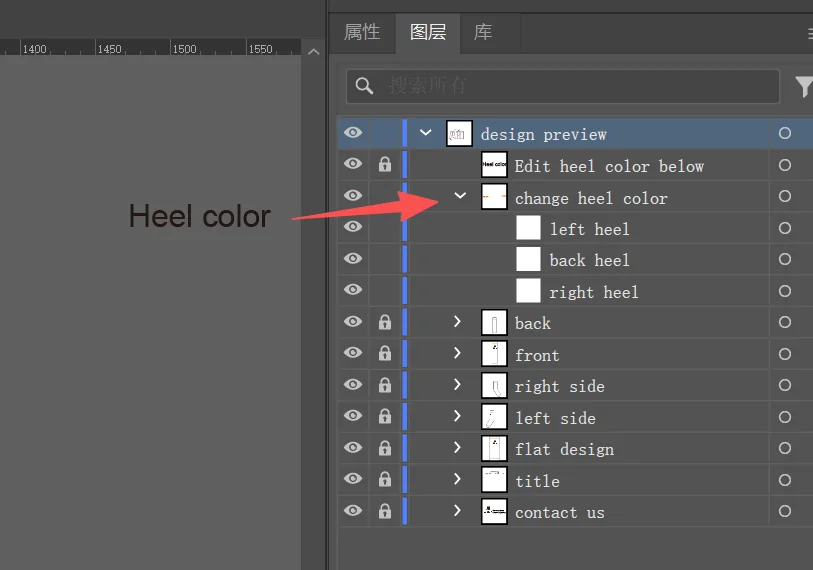
Step 6: Keep it simple
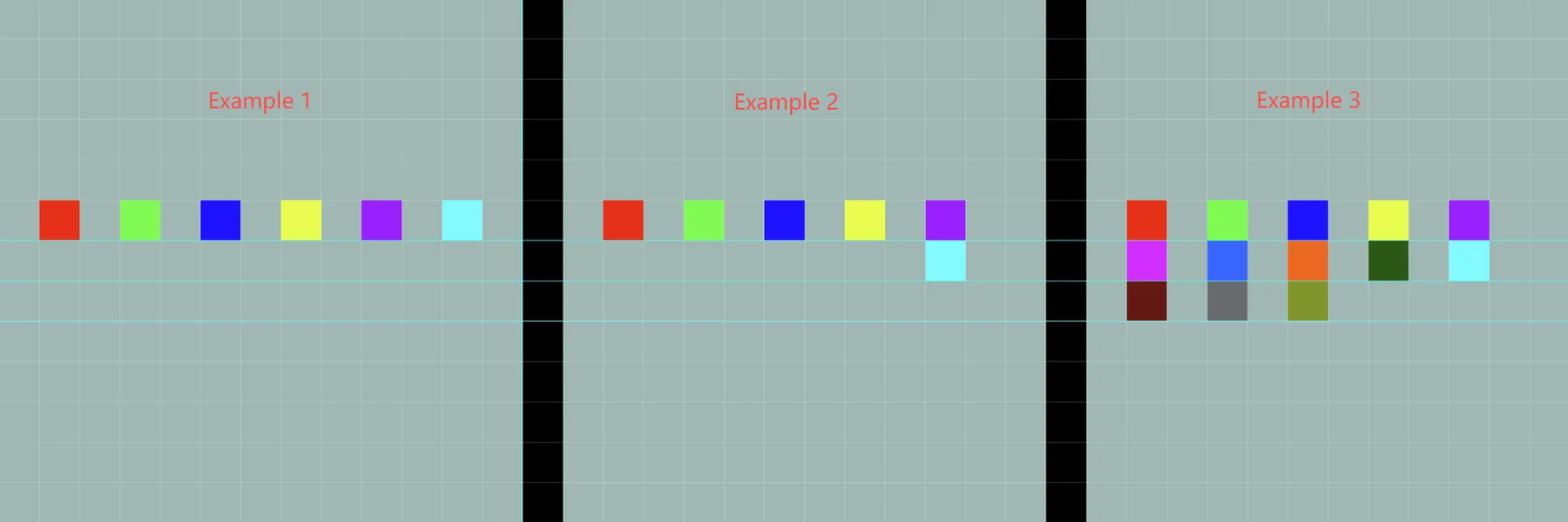
Knitted socks use yarn, not ink. Keep each horizontal row to six colors or fewer, including the background. The limit is per row—not per sock.
- 6 dots + background = 7 colors: not feasible
- 5 dots + background = 6 colors: feasible
- Separate dense color blocks to protect the sock's stretch
Why color separation matters
A solid color block behaves like a tight, non-stretchy strip. Splitting the same color across two or three yarns keeps the design while restoring flexibility. If the artwork cannot be simplified, custom printed socks can reproduce gradients and photographic detail.

Steps 7–8: Check and save
Save the Flat Design file, open Design Preview, and review the sock from multiple angles. If the preview does not refresh, click another window and return. Save the final design as AI or vector PDF.
Need a hand?
Send the design to our team.
We'll review feasibility and confirm any production adjustments before moving forward.
Submit your design →