
Step 1: Download the PSD
The download contains a realistic sock mockup with editable layers. It is a free preview tool for custom logo socks and branded socks.
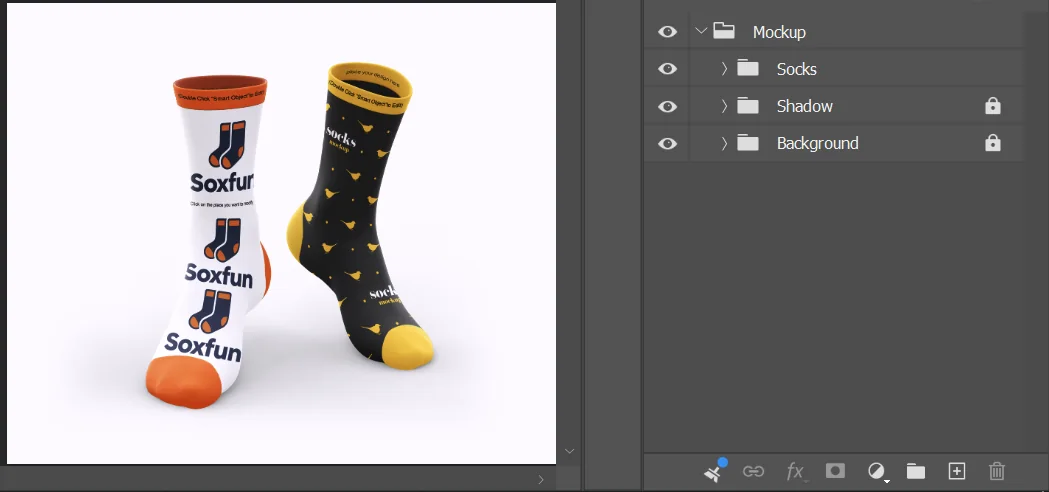
Steps 2–3: Open the smart object
Open the PSD in Photoshop. In the Layers panel, find the editable layer marked with the orange eye icon and double-click its smart-object thumbnail.
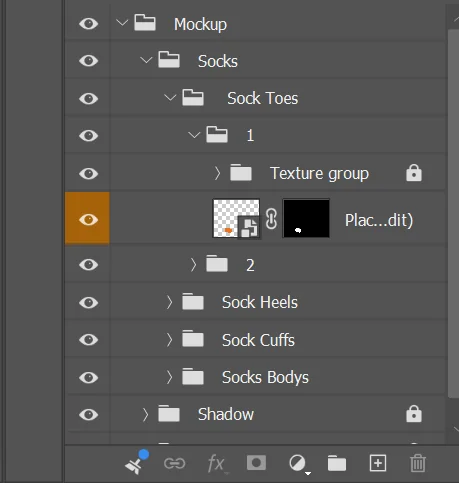
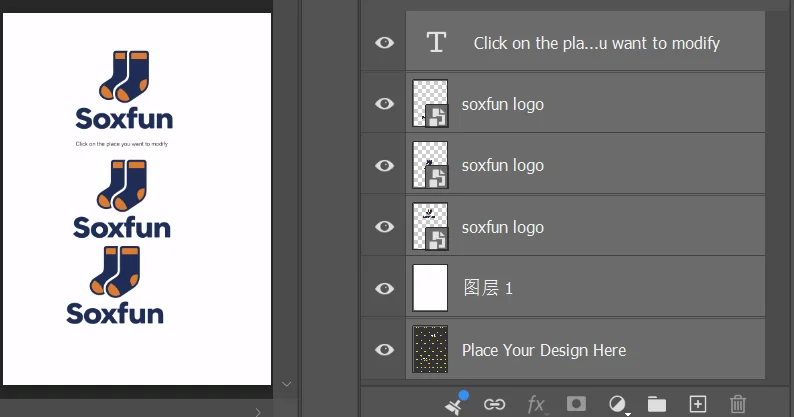
Step 4: Place your artwork
Add your logo or design inside the smart object and keep it within the safe zone. Save and close the smart object, then return to the main PSD.
Steps 5–6: Preview and adjust color
Your artwork appears with a realistic knit texture. Adjust the cuff, heel, and toe colors using their separate layers. Keep the heel and toe color-only, and keep cuff text or patterns simple.
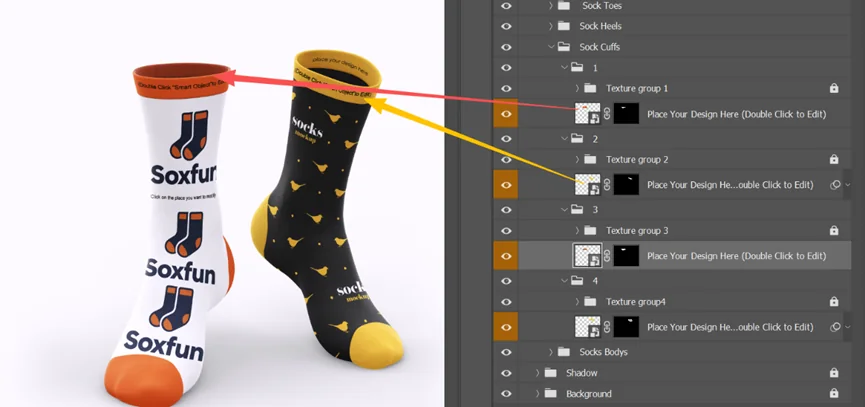
Steps 7–8: Protect locked layers and save
Locked layers hold shadows, highlights, and structure. Leave them in place so the mockup stays realistic, then save the completed file as PSD.
- Use high-resolution artwork
- Keep knitted artwork to six colors or fewer per row
- Check every safe zone
- Include Pantone TCX codes when available
Need a hand?
Send the design to our team.
We'll review feasibility and confirm any production adjustments before moving forward.
Submit your design →